

Agent Foskett Hub
Agent Foskett Hub is GEMXIT’s Microsoft Security Investigation Library — a growing knowledge base spanning KQL, Microsoft Defender XDR, Microsoft Sentinel, Microsoft Entra, Defender for Endpoint, Defender for Cloud, Microsoft Security Copilot, SOC operations, phishing, identity risk, endpoint behaviour and cloud security. The Academy combines structured learning paths with investigation-led lessons, while the SOC Analyst Academy brings KQL, Sentinel, Defender XDR, Entra, endpoint, cloud and Security Copilot skills together in realistic security operations workflows.

About the briefings
Agent Foskett briefings translate real technical observations into clear, practical lessons for organisations operating modern Microsoft environments. They focus on the kinds of issues that often go unnoticed until they become operational, security or governance risks.
What's New
✔ Structured Microsoft Security learning paths • ✔ KQL threat hunting and detection engineering • ✔ SOC Analyst Academy • ✔ Microsoft Security Copilot Academy • ✔ Real-world investigation case files • ✔ Weekly Friday Cyber Briefings.
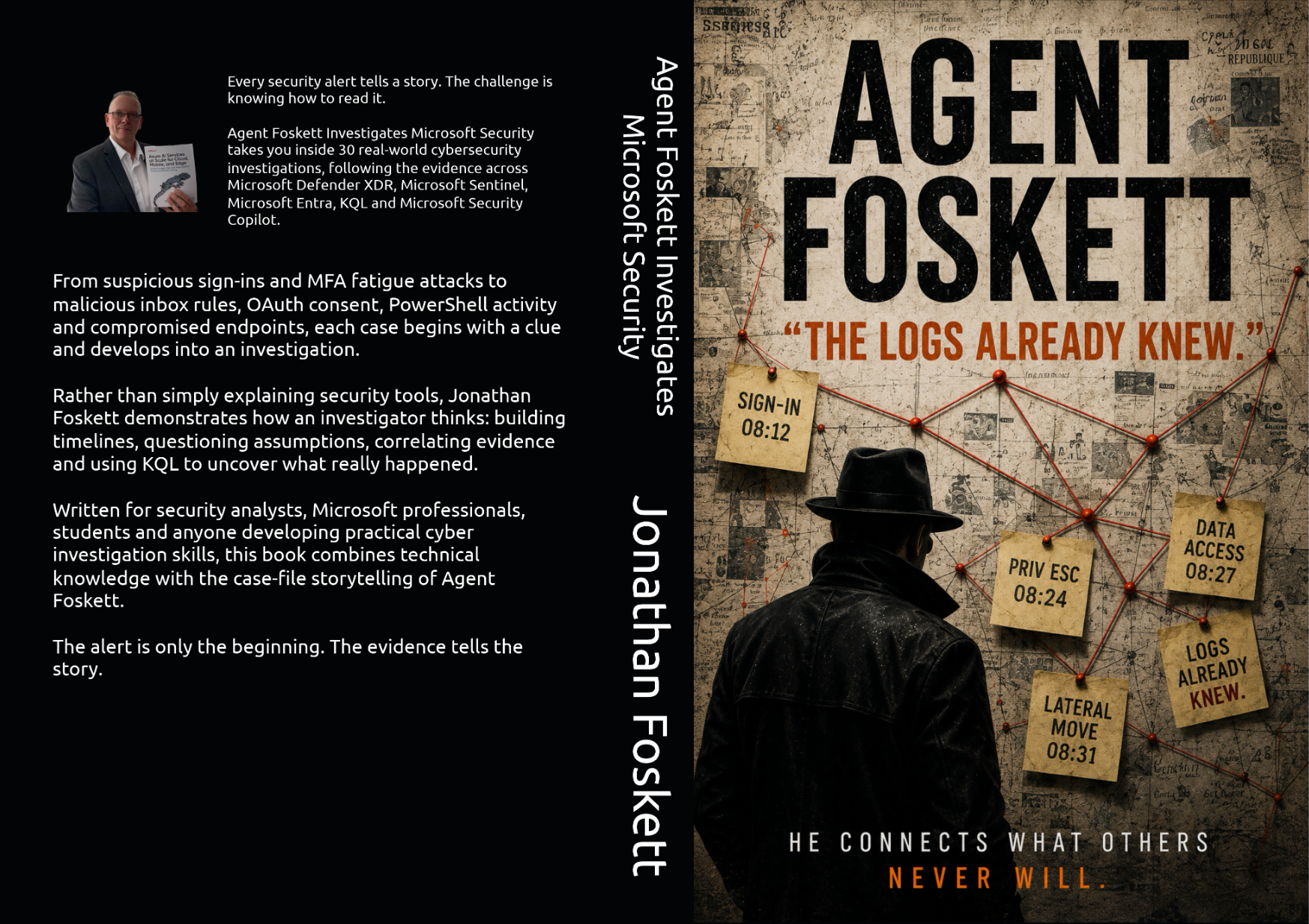
Agent Foskett Investigates Microsoft Security
Published 1 September 2026 — available now. Available in Kindle, paperback and hardcover editions.
30 real-world investigations using Microsoft Defender XDR, Microsoft Sentinel, KQL and Microsoft Security Copilot. Follow identity, email, endpoint and cloud evidence as Agent Foskett builds timelines, tests theories and asks the question that matters: what do the logs actually prove?
Built from the same investigation-first thinking behind the Agent Foskett Hub, the book brings the stories, evidence, KQL and lessons together into a single practical journey through modern Microsoft security investigation.
Learn KQL
Start with the Academy for a structured path from your first KQL query through Defender XDR hunting, complete identity, endpoint and cloud investigations, and now advanced detection engineering and proactive threat hunting.
Open the AcademyLearn Microsoft Sentinel
Build practical SIEM and SOAR capability through lessons on workspaces, data connectors, analytics rules, incidents, hunting, workbooks, playbooks and automation.
Open Sentinel AcademyMicrosoft Security Copilot
Explore the Security Copilot Academy covering prompts, grounding, plugins, permissions, incident investigation, threat hunting, promptbooks, governance and AI-enabled SOC workflows.
Open Security Copilot AcademySOC Analyst Academy
Bring the specialist Academies together in realistic SOC workflows covering alert triage, evidence gathering, investigation, containment, escalation and defensible analyst decision-making.
Open SOC Analyst AcademyInvestigate Signals
Use the Investigation Library to follow real Microsoft security scenarios across email, identity, endpoint, cloud and session activity.
Search investigationsBuild Capability
Connect the stories, guides and Academy lessons into practical defensive capability for Microsoft 365 and Azure environments.
Discuss your environmentBrowse by topic
Latest investigations
Recent Agent Foskett case files covering social engineering, Defender tampering, OneDrive behaviour, session theft, device lifecycle risk and investigation-led Microsoft security.
- The $3.2 Billion Investor Who Also Had 800 KG of Gold
- The Bulk Fertilizer Order Was Only The Bait
- The Defender Exclusion Was Added 12 Minutes Before the Malware Ran
- The User Didn't Upload the File — OneDrive Did It Automatically
- The Password Was Never Stolen — The Browser Cookie Was
- The Intune Device Was Retired — But It Was Still Accessing Microsoft 365
Friday Cyber Briefings
Agent Foskett also supports GEMXIT’s ongoing Friday Cyber Briefings — practical weekly reflections on Microsoft security, attacker behaviour, governance gaps and the operational lessons hidden inside real-world technology environments.
- Follow GEMXIT on LinkedIn
- Practical Microsoft security thinking, not generic cyber noise
New to Agent Foskett?
Start with the cornerstone investigations that explain how the hub works: follow the signal, question the dashboard, and use KQL to understand what really happened.
- Agent Foskett Academy — Learn KQL From The Beginning
- Microsoft Security Copilot Academy — AI-Assisted Security Investigations
- Microsoft Defender KQL Threat Hunting Guide
- Microsoft Defender KQL Threat Hunting Complete Guide
- SpoofedDomain and EmailEvents Investigation
- MFA Session Hijacking Investigation
Investigation categories
The Agent Foskett Hub is organised around the Microsoft security signals that matter most during real investigations.
How Agent Foskett investigations work
Each investigation is designed to teach a repeatable method, not just tell a one-off story.
- Start with the signal. Identify the email, alert, sign-in, process, URL click or configuration detail that started the investigation.
- Validate the evidence. Use Microsoft Defender XDR, Sentinel, Entra ID and KQL to confirm what really happened.
- Correlate the telemetry. Connect email, identity, endpoint, cloud and user activity into a single investigation path.
- Build the timeline. Put the events in order so the story becomes clear.
- Extract the lesson. Turn the investigation into a practical defensive improvement.
About Jonathan Foskett and Agent Foskett
Agent Foskett is the educational cyber security investigation persona created by Jonathan Foskett, Managing Director of GEMXIT and Microsoft Certified Trainer. The Hub shares practical Microsoft Defender XDR investigations, KQL techniques and Microsoft security lessons for organisations that want to understand what their logs are actually saying.
Why security professionals use the Agent Foskett Hub
The Hub combines structured Academy learning paths, practical Microsoft security investigations, dedicated KQL, Defender XDR, Sentinel, Entra, Defender for Endpoint, Defender for Cloud and Security Copilot content, plus investigation-led Identity Threat Hunting and Advanced Endpoint Investigation modules. It is built for defenders who want clear explanations, realistic evidence chains and useful Microsoft security lessons without the noise.
Why organisations use the Agent Foskett Hub
Most Popular Guides
Microsoft Security Investigation Library
The question was simple:
“Is this malware?”
Security Copilot found no evidence of malware. The response was accurate. The investigation was closed.
But nobody asked about the suspicious sign-in, the new inbox rule, the OAuth consent, the authentication-method change or the unusual SharePoint downloads that followed.
This Agent Foskett investigation explores Microsoft Security Copilot, AI-assisted security investigations, prompt quality, Microsoft Defender XDR, Microsoft Entra ID and why AI can give a completely correct answer while the investigation still reaches the wrong conclusion.
join Revealed The Attacker
The email looked harmless.
The URL click appeared unrelated.
The endpoint showed no obvious malware.
The sign-in looked legitimate.
Every Microsoft Defender XDR table told part of the story. None revealed the full attack.
Then a single KQL
join connected the evidence.
Email activity, URL clicks, endpoint telemetry and identity events became one complete investigation timeline.
This Agent Foskett investigation explores KQL joins, Microsoft Defender XDR, EmailEvents, UrlClickEvents, DeviceProcessEvents and how correlating data across multiple tables uncovers attack paths that individual queries can easily miss.
This Agent Foskett briefing introduces practical KQL threat hunting across Microsoft Defender, Sentinel and Entra ID, showing how simple queries can uncover suspicious sign-ins, email activity, endpoint behaviour and patterns that dashboards may not explain.
This Agent Foskett investigation uses KQL, EmailEvents and AuthenticationDetails to detect spoofed sender domains, DMARC failures, sender mismatch and suspicious delivery outcomes inside Microsoft Defender.
Everything looked legitimate. Then Microsoft Defender reported a Composite Authentication failure.
This Agent Foskett investigation explores Composite Authentication, EmailAuthenticationResults, AuthenticationDetails, email trust decisions and why passing traditional authentication checks does not always mean an email should be trusted.
SPF = Pass.
Everyone assumed the sender was legitimate.
But SPF had authenticated the envelope sender domain—not the visible From domain the user actually trusted.
The visible sender appeared familiar. The sending domain was authorised. The two identities were not the same.
This Agent Foskett investigation explores SPF alignment, SenderFromAddress, SenderMailFromAddress, AuthenticationDetails, EmailEvents, email authentication and how Microsoft Defender XDR helps investigators identify messages that pass SPF for a domain the recipient never expected.
Nobody questioned the message.
Then Microsoft Defender recorded one small detail.
DMARC = Fail.
This Agent Foskett investigation explores DMARC failures, SPF, DKIM, EmailAuthenticationResults, AuthenticationDetails, sender validation, email spoofing and how a single authentication result can become the starting point for a complete Microsoft Defender XDR investigation.
But the real clue wasn't the prize.
It was the Reply-To address.
This Agent Foskett investigation explores Reply-To, From addresses, email headers, sender impersonation, social engineering, Microsoft Defender XDR and how a single header field can expose the true destination attackers want victims to contact.
USD $3.2 billion.
But apparently that wasn't enough.
There were also 800 kg of 24-carat gold bars available for anyone who might be interested.
The supposed CFO represented one company, but the email came from a completely different domain.
Then came the request for a WhatsApp video call, KYC, due diligence and identity verification.
This Agent Foskett investigation explores investment scams, suspicious sender domains, social engineering, EmailEvents, EmailUrlInfo, Microsoft Defender XDR, KQL and how defenders can pivot from an extraordinary claim into the telemetry behind the message.
But the script ran from AppData.
This Agent Foskett investigation explores suspicious script execution, user-writable folders, PowerShell activity, parent-child process relationships, DeviceProcessEvents, DeviceFileEvents, DeviceRegistryEvents and how Microsoft Defender XDR helps investigators follow behaviour rather than trust a filename.
The filename did not immediately explain why it had appeared on the device.
Then Microsoft Defender XDR revealed something unusual.
Before execution, the same file had appeared under several different names.
The names changed. The hash did not.
This Agent Foskett investigation explores DeviceFileEvents, DeviceProcessEvents, SHA1 correlation, file rename activity, initiating processes, execution timelines and how Microsoft Defender XDR can reconstruct the history of a suspicious file even when its filename keeps changing.
Then, at exactly 2:41AM, Windows created a new Scheduled Task.
That single event quietly restored the attack every time the device restarted.
This Agent Foskett investigation explores Windows Scheduled Tasks, persistence techniques,
schtasks.exe, DeviceProcessEvents, DeviceRegistryEvents,
DeviceEvents and how Microsoft Defender XDR helps investigators uncover attacker persistence hidden inside legitimate Windows automation.
Then, at exactly 8:00 AM, PowerShell launched again.
Microsoft Defender XDR revealed a scheduled task silently re-establishing attacker access every morning. This Agent Foskett investigation explores Windows Scheduled Tasks, persistence techniques, DeviceEvents, DeviceProcessEvents, DeviceRegistryEvents and how investigators uncover malicious automation hidden inside legitimate Windows task scheduling.
The name looked legitimate. The executable looked legitimate. It even ran as SYSTEM.
Nothing immediately screamed attacker persistence.
Then Agent Foskett asked a different question:
Who actually created it?
The answer changed the investigation.
This Agent Foskett investigation follows scheduled task creation, creator identity,
schtasks.exe,
parent processes, account context and Microsoft Defender XDR
telemetry to uncover suspicious activity hiding behind
legitimate-looking Windows automation.
They acted immediately.
The process was stopped. The malicious file was deleted. The machine was cleaned up.
Problem solved.
Except the SOC had not finished investigating.
By the time Agent Foskett arrived, some of the original evidence was already gone.
The question was no longer simply:
“Is the device clean?”
It became:
“What happened before the cleanup?”
This Agent Foskett investigation follows DeviceProcessEvents, DeviceFileEvents, process history, administrator activity and the remediation timeline to reconstruct what happened before the scene changed.
Then Microsoft Defender XDR revealed that PowerShell had quietly downloaded a file from the Internet.
This Agent Foskett investigation explores suspicious PowerShell downloads, Invoke-WebRequest, DownloadString, DeviceProcessEvents, DeviceNetworkEvents, DeviceFileEvents and how defenders investigate living-off-the-land activity by following behaviour instead of relying on alerts.
No
http.
No https.
No obvious download URL.
It looked like PowerShell had never contacted the Internet.
But the network telemetry told a different story.
This Agent Foskett investigation explores DeviceProcessEvents, DeviceNetworkEvents, PowerShell execution, process correlation, network connections and how KQL can uncover activity that was never visible in the original command line.
mshta.exe.
The binary looked suspicious.
But the investigation showed the executable was only one step in a much larger attack chain. The real evidence came from the parent process, the child processes and the timeline that connected them.
This Agent Foskett investigation explores Living Off The Land binaries (LOLBins), DeviceProcessEvents, parent-child process relationships, PowerShell execution, DeviceNetworkEvents and how defenders use KQL to reconstruct the complete attack path.
Nothing obvious happened when the USB drive was inserted. Windows stayed quiet. No alerts appeared.
Minutes later, PowerShell started. A scheduled task appeared. The investigation had only just begun.
This Agent Foskett investigation explores removable media attacks, DeviceEvents, DeviceProcessEvents, DeviceRegistryEvents, persistence, scheduled tasks, PowerShell activity and how Microsoft Defender XDR helps investigators reconstruct everything that happened after an unknown USB device was connected.
The message claimed a package plan had been purchased, an order had been processed and payment had already been taken.
Everything was designed to trigger panic.
This Agent Foskett investigation explores fake payment receipts, undeliverable email scams, Microsoft impersonation, social engineering tactics and how attackers exploit urgency to convince users to call fraudulent support numbers or interact with malicious links.
Then the message claimed an Amazon Gift Card payment had already been processed and provided a phone number for "refund enquiries."
This Agent Foskett investigation explores invoice platform abuse, refund scams, trusted SaaS services, EmailEvents, AuthenticationDetails, social engineering and why legitimate email infrastructure can still deliver malicious messages.
By the time investigators looked for it, the message had disappeared.
No inbox. No deleted items. No obvious evidence.
Yet Microsoft Defender already knew exactly what had happened.
This Agent Foskett investigation explores DeliveryAction, DeliveryLocation, ThreatTypes, Zero-hour Auto Purge (ZAP), quarantine actions and how defenders can reconstruct the lifecycle of a malicious email even after the message has been removed.
But one detail changed everything.
The visible link said USPS. The destination pointed somewhere completely different.
This Agent Foskett investigation explores phishing emails, deceptive hyperlinks, EmailUrlInfo, UrlClickEvents, sender impersonation, Microsoft Defender XDR and how attackers reuse legitimate HTML templates to hide malicious links inside convincing emails.
But the user insisted it never appeared in the inbox.
No obvious alert. No visible message. No simple answer.
This Agent Foskett investigation explores DeliveryAction, DeliveryLocation, mailbox placement, quarantine outcomes, junk email routing and why delivered does not always mean the user actually saw the message.
Then another message appeared.
Everyone assumed Microsoft 365 had ignored the block.
Until the Internet headers revealed the truth.
This Agent Foskett investigation explores Exchange Online Protection, Internet headers, High Confidence Spam, Junk Email delivery, anti-spam policies, Microsoft Defender for Office 365 and why blocked senders do not always disappear completely from user mailboxes.
But nobody had sent it.
The Internet headers revealed an automated SMTP bounce, a forged sender address and a classic backscatter spam campaign.
This Agent Foskett investigation explores SMTP delivery failures, Mailer-Daemon messages, Exim mail servers, forged sender addresses, backscatter spam and how email headers reveal emails that were never actually sent.
But one detail didn't fit. The sender domain didn't match the company requesting the quote.
This Agent Foskett investigation explores procurement scams, business email fraud, supplier impersonation, social engineering and how attackers use professional purchasing requests to begin conversations that can later lead to financial fraud or business email compromise.
GEMXIT had apparently been selected and approved as one of Australia's best businesses.
There was only one small problem.
I couldn't remember entering anything.
This Agent Foskett investigation explores unsolicited business recognition emails, social engineering, authority and trust signals, commercial persuasion, EmailEvents, EmailUrlInfo, Microsoft Defender XDR and why an unexpected email does not have to be malicious before it deserves investigation.
The sender claimed they had come across GEMXIT's website and noticed an opportunity to generate more enquiries.
There was only one problem.
Nothing in the email suggested they had actually looked at the website at all.
This Agent Foskett investigation explores unsolicited sales emails, cold outreach, commercial persuasion, social engineering, EmailEvents, sender context, Microsoft Defender XDR and why a suspicious or unwanted email should not automatically be classified as phishing without evidence to support that conclusion.
The device appeared protected.
Then malware executed from a location where Agent Foskett expected Defender to intervene.
So why didn't it?
Working backwards through the endpoint evidence revealed something far more interesting than the malware itself.
Just 12 minutes before execution, a Microsoft Defender exclusion had been added.
This Agent Foskett investigation explores Defender exclusions, security control tampering, DeviceRegistryEvents, DeviceProcessEvents, DeviceFileEvents, KQL and why the absence of an expected alert can become evidence of its own.
The visible From address appeared trustworthy. But the envelope sender told a different story.
This Agent Foskett investigation explains how defenders compare SenderFromAddress and SenderMailFromAddress in Microsoft Defender XDR to uncover spoofing, impersonation, mismatched sender identity and suspicious email authentication behaviour.
This Agent Foskett lesson explains how startswith and endswith help narrow evidence during Microsoft Defender XDR and Sentinel investigations.
Everything looked legitimate.
But the user approved a malicious OAuth application and granted access to the mailbox through Microsoft 365 permissions. This Agent Foskett investigation explores OAuth consent phishing, malicious app permissions, offline access, mailbox visibility and why successful MFA does not always mean the session is safe.
Then the user clicked Accept.
That single approval granted an application permission inside Microsoft 365. No malware was required. No password was needed.
This Agent Foskett investigation explores OAuth consent abuse, application permissions, service principals, Microsoft Entra ID and how attackers can gain access through trusted application workflows.
Then the permissions were reviewed.
A service principal had Global Administrator-level access.
This Agent Foskett investigation explores Microsoft Entra ID, service principals, enterprise applications, privileged permissions and how application identities can quietly become one of the most powerful attack paths inside a Microsoft 365 tenant.
Then the authentication methods were reviewed.
A new MFA method had been added at 3:14AM. The user was asleep.
This Agent Foskett investigation explores suspicious MFA registration, Microsoft Entra ID AuditLogs, authentication method changes, account takeover persistence and why password resets alone do not always remove attacker access.
Nothing about that single event proved the account had been compromised.
Then, eleven minutes later, a new authentication method was registered.
That changed the investigation.
This Agent Foskett investigation explores suspicious sign-ins, MFA registration, Microsoft Entra ID audit activity, authentication-method changes, account takeover persistence and how investigators correlate separate identity events into a single compromise timeline.
It was not a Global Administrator.
Everything appeared normal.
But the audit trail showed something the current role assignment could not.
For seventeen minutes, the account had held one of the most powerful roles in Microsoft Entra ID.
This Agent Foskett investigation explores Microsoft Entra Privileged Identity Management, temporary Global Administrator activation, AuditLogs, privileged role changes, KQL and why investigators must reconstruct what permissions an identity had during the incident — not simply what permissions it has now.
MFA was satisfied. Conditional Access reported Success.
Everything appeared to have worked exactly as designed.
But Agent Foskett had a different question:
What exactly had succeeded?
This investigation explores Microsoft Entra Conditional Access, sign-in logs, authentication details, device context, report-only policies, session evidence and how KQL helps investigators understand what happened before and after a successful authentication.
It was enrolled. It was compliant. Conditional Access allowed access.
Everything appeared trustworthy.
But the activity that followed did not match the device everyone thought they were investigating.
This Agent Foskett investigation explores Microsoft Entra ID, Conditional Access, device compliance, session context, token replay, DeviceInfo, DeviceNetworkEvents and how KQL helps investigators determine whether a trusted device really explains the activity that followed.
Everything looked normal.
Then Entra ID flagged the sign-in as High Risk.
The login was successful. The investigation was only beginning.
This Agent Foskett investigation explores Microsoft Entra ID Identity Protection, risky sign-ins, SigninLogs, impossible travel indicators, unfamiliar locations, Conditional Access decisions and why successful authentication does not automatically mean a session is trustworthy.
Everything looked normal.
Then SharePoint downloads increased. New authentication methods appeared. Enterprise applications were granted consent. The investigation had only just begun.
This Agent Foskett investigation explores Microsoft Entra Sign-in Logs, Authentication Details, Conditional Access, Risky Sign-ins, Audit Logs and why successful authentication should mark the beginning of an investigation—not the end.
A user appeared to sign in from Melbourne and then Singapore only minutes later. No commercial flight could explain the journey.
The risk score increased. The investigation suggested account compromise.
Then the device details, IP addresses and session timeline told a different story.
This Agent Foskett investigation explores Microsoft Entra ID Impossible Travel alerts, VPN exit nodes, risky sign-ins, device continuity, identity telemetry and why unusual location data does not always mean the user account was compromised.
This Agent Foskett investigation explores impossible travel sign-ins, suspicious location changes, risky authentication events and why identity telemetry must be reviewed before assuming the account is safe or compromised.
No malware alert fired. No suspicious attachment was opened. No impossible travel alert immediately explained what happened.
But the phone kept buzzing. Again and again.
Eventually, the user pressed Approve. This Agent Foskett investigation explores MFA fatigue attacks, push bombing, repeated authentication prompts, suspicious sign-in behaviour and why a normal-looking MFA prompt can still be part of an active compromise.
The user simply scanned a QR code. The Microsoft 365 login page looked familiar. The authentication flow looked legitimate.
But the QR code redirected the user into a credential harvesting and session theft workflow designed to move the attack away from the protected corporate device and onto a trusted mobile phone.
This Agent Foskett investigation explores QR phishing attacks, mobile authentication abuse, suspicious sign-ins, token theft, Microsoft Entra ID investigations and how attackers increasingly abuse trusted mobile workflows inside Microsoft 365 environments.
No impossible travel alert. No failed login attempts. Nothing appeared obviously malicious.
But the attacker never needed to bypass MFA. They inherited the authenticated session instead. This Agent Foskett investigation explores session hijacking, token theft, browser cookie abuse and how attackers operate inside trusted Microsoft 365 sessions after authentication has already succeeded.
Their password had not been changed.
There was no obvious password spray.
Yet somebody was accessing Microsoft 365 from a network the user had never used.
The obvious assumption was: the attacker must have stolen the password.
Agent Foskett followed the session evidence instead.
The attacker may never have needed the password at all. The authenticated browser session was the real target.
This Agent Foskett investigation explores session hijacking, browser cookie theft, token replay, Microsoft Defender XDR, CloudAppEvents, IP addresses, user agents and KQL techniques for investigating suspicious Microsoft 365 session activity.
The security controls worked exactly as designed.
Then the attacker logged in.
The investigation revealed that authentication had succeeded, but the identity behind the session was not the person everyone expected.
This Agent Foskett investigation explores Microsoft Entra ID sign-in telemetry, successful MFA events, risky authentication patterns, session trust, identity compromise and why passing MFA does not always mean the investigation is over.
But the attacker was already inside the trusted device. This Agent Foskett investigation explores how modern attackers abuse legitimate corporate endpoints, session tokens, browser cookies and inherited trust inside Microsoft environments.
The user was absolutely certain.
No password sent in an email. No credentials entered into a suspicious website. No MFA code read over the phone.
But somebody had still been operating their computer.
Then Agent Foskett asked one more question:
“Did anybody ask you to share your screen?”
The attacker had impersonated IT support and persuaded the user to open Quick Assist, share their screen and approve remote control.
This investigation follows Quick Assist activity, endpoint processes, network connections, remote-control evidence and Microsoft Defender XDR telemetry to reconstruct what happened after the user granted access.
It was supposed to be leaving management.
Then the Microsoft Entra sign-in logs showed something awkward.
The same device was still appearing in Microsoft 365 activity after the retire action.
The obvious conclusion was that Intune had failed.
Agent Foskett followed the timestamps and found a much more important question:
When did the retire action actually reach the device?
This Agent Foskett investigation explores Microsoft Intune, Microsoft Entra sign-in logs, device identity, Conditional Access, retirement timing and how KQL can reconstruct what really happened.
Everything appeared secure.
Then the Conditional Access policy was reviewed.
It was still in Report-only mode.
Sign-ins were being evaluated. The logs showed what the policy would have done. But no access decision was actually being enforced.
This Agent Foskett investigation explores Microsoft Entra Conditional Access, Report-only mode, policy assignments, exclusions, Sign-in Logs, the What If tool and why a configured security policy does not protect anything until enforcement is enabled.
But after a suspicious sign-in, a new inbox rule appeared. Messages were quietly moved out of sight before anyone knew to investigate.
This Agent Foskett investigation explores hidden mailbox rules, CloudAppEvents, EmailEvents, UrlClickEvents and KQL to uncover post-compromise activity designed to conceal suspicious email from users and defenders.
But at 2:13AM, a new inbox rule quietly appeared inside the mailbox. The rule forwarded messages externally, moved replies into hidden folders and reduced the chance the user would notice suspicious activity.
This Agent Foskett investigation explores hidden mailbox persistence, suspicious forwarding behaviour and post-authentication compromise activity across Microsoft 365 environments.
But hidden inside Microsoft Defender XDR telemetry were subtle behavioural signals: unusual sign-ins, suspicious SharePoint activity, persistent sessions and authentication patterns that did not match normal business behaviour.
This Agent Foskett investigation explores why modern security teams must move beyond dashboards and learn how to ask the data better questions.
Within hours, two servers, fifteen workstations and the on-site backups were encrypted.
Then the ransom note appeared.
The attackers believed recovery was impossible because every system they could see had already been destroyed.
This Agent Foskett investigation explores ransomware recovery, encrypted backup systems, disaster recovery planning, business continuity and the cloud backup that ultimately saved the business.
“Did antivirus detect anything?”
But modern attacks rarely look like traditional malware anymore. The dashboard may stay green while attackers operate quietly through trusted sessions, successful MFA prompts, OAuth abuse, browser token theft and suspicious cloud activity.
This Agent Foskett investigation explores why Microsoft Defender XDR, Sentinel, Entra ID telemetry and KQL threat hunting have become critical for investigating the hidden signals modern antivirus often misses.
Then the download activity was reviewed.
More than 4GB of company data had been downloaded shortly before the employee resigned.
This Agent Foskett investigation explores SharePoint and OneDrive download activity, CloudAppEvents, behavioural baselining, data exfiltration, insider risk and how Microsoft Defender XDR can reveal unusual cloud behaviour even when the identity itself appears completely legitimate.
There wasn't one.
No 4GB transfer. No suspicious archive. No obvious mass-download event.
Yet sensitive company files had still been exposed.
The attacker hadn't taken the data.
They had changed who could access it.
This Agent Foskett investigation explores SharePoint, OneDrive, external sharing, CloudAppEvents, Microsoft Defender XDR, cloud audit activity and how KQL can uncover data exposure that never looks like traditional file exfiltration.
Nothing unusual appeared.
No 4GB browser download. No obvious file-transfer spike. No malware alert.
But thousands of company files had still arrived on the user's device.
The files were never downloaded one by one. OneDrive had synchronised the library.
This Agent Foskett investigation explores OneDrive and SharePoint synchronisation, CloudAppEvents, endpoint telemetry, data movement and why investigators must search for outcomes rather than only the actions they expect.
The obvious explanation?
Thirty-seven downloads.
Except the evidence showed only one.
The file had been downloaded to one endpoint and then propagated internally across the network.
Agent Foskett followed the file hash, device activity, initiating processes, network connections and SMB evidence to reconstruct how one copy became 37.
The important question was no longer:
“Who downloaded the file?”
It was:
“How did the other 36 devices get it?”
The audit trail showed cloud activity.
There was only one problem.
The user insisted they had never uploaded it.
Agent Foskett followed the timeline back to the endpoint and found the missing piece.
The file had been created locally inside a synchronised folder, and OneDrive had moved it into the cloud automatically.
This Agent Foskett investigation explores OneDrive, cloud synchronisation, CloudAppEvents, DeviceFileEvents, DeviceProcessEvents, endpoint-to-cloud correlation and how KQL can distinguish a deliberate upload from an automatic synchronisation event.
Then the permissions were checked.
The file was accessible to everyone. This Agent Foskett investigation explores SharePoint sharing links, OneDrive permissions, anonymous access, external collaboration and how sensitive information can become exposed without a single attacker.
But the investigation showed something uncomfortable: active sessions were still alive, authentication tokens still existed, and access continued quietly in the background.
This Agent Foskett investigation explores incomplete offboarding, persistent Microsoft 365 sessions, refresh token survival, remembered devices and why disabling an account does not always terminate access immediately.
Everyone assumed the attacker had been locked out.
Then activity continued.
The password was no longer the important part of the investigation. A session already existed, and the evidence showed why disabling an account should never be treated as proof that containment is complete.
This Agent Foskett investigation explores Microsoft Entra ID, refresh tokens, persistent sessions, interactive and non-interactive sign-ins, session revocation, Conditional Access and how investigators verify that access has actually stopped after an account is disabled.
No impossible travel alert. No malware detection. No obvious compromise warning.
But at 3:12AM, the user was quietly added to a privileged Microsoft Entra ID role. Global Administrator.
This Agent Foskett investigation explores privilege escalation, suspicious role assignments, PIM abuse, overnight administrative access and how attackers quietly move from user access to tenant control inside Microsoft 365.
Everything looked like it was protected.
But the policy was still in Report-Only mode. It evaluated the sign-in, recorded the result, and showed what would have happened.
It did not block anything.
This Agent Foskett investigation explores Conditional Access policies, report-only evaluation, MFA enforcement gaps, sign-in logs and the dangerous difference between a control that exists and a control that is actually enforced.
Yet during investigation, operational exposure still existed beneath apparently compliant Microsoft environments.
This Agent Foskett briefing explores how exclusions, configuration drift, incomplete telemetry and overlooked assumptions quietly survive inside environments that technically appear secure.
The SOC searched Microsoft Sentinel.
Nothing.
No matching security events. No useful timeline. No detection.
The obvious conclusion?
Nothing happened.
Agent Foskett asked a more important question:
“Were we actually collecting the evidence?”
The investigation followed Windows Security Events, SecurityEvent, WindowsEvent, collection coverage, data ingestion and Microsoft Sentinel configuration.
The detection rule had not missed the telemetry.
The telemetry had never arrived.
Nothing appeared broken… but nothing made sense either.
This Agent Foskett briefing explains the new unified Microsoft Defender and Sentinel experience, why the portal looks different, what UEBA actually means, why dashboards appear empty at first, and the first things organisations should configure after onboarding.
This special Agent Foskett milestone reflects on the investigation mindset developed across one hundred real-world Microsoft Defender XDR, Microsoft Sentinel and Entra ID investigations. Rather than focusing on a single attack, it explores the thinking, curiosity and evidence-driven approach behind every successful investigation.
But one process launched another. Then another. Then PowerShell spawned silently in the background.
This Agent Foskett investigation follows parent and child process relationships inside Microsoft Defender XDR, using DeviceProcessEvents and KQL to uncover suspicious execution chains that dashboards may never explain.
A user opened a Word document. Nobody worries when WINWORD.EXE starts.
Then Word launched PowerShell.
The parent process made sense. The child process did not.
This Agent Foskett investigation follows parent-child process relationships inside Microsoft Defender XDR using DeviceProcessEvents, ProcessCommandLine analysis and KQL to uncover suspicious execution chains hidden behind trusted applications.
The data access looked normal.
The lateral movement looked normal.
The timeline changed everything.
This Agent Foskett investigation explores how Microsoft Defender XDR, IdentityLogonEvents, DeviceEvents, CloudAppEvents and KQL can reconstruct attacks by connecting events that appear unrelated in isolation.
But one device kept reaching out to an IP address nobody recognised. Every hour. Every day.
This Agent Foskett investigation explores how Microsoft Defender XDR, DeviceNetworkEvents, DeviceProcessEvents, remote IP analysis and KQL can reveal suspicious outbound communications hidden inside normal device activity.
Yet at exactly 1:22AM, a workstation connected to an IP address nobody recognised.
No alert fired. No ticket was created.
This Agent Foskett investigation explores how Microsoft Defender XDR, DeviceNetworkEvents, DeviceProcessEvents and KQL can uncover suspicious after-hours activity hidden inside normal endpoint telemetry.
Just a quiet PowerShell process using encoded commands, hidden execution and suspicious outbound behaviour that blended into normal activity.
This Agent Foskett briefing explores how Microsoft Defender telemetry can reveal suspicious execution chains even when no incident is generated.
Just a PowerShell command and a long string of characters that looked meaningless.
But the command wasn't meaningless. It was encoded.
This Agent Foskett investigation explores Base64 encoded PowerShell commands, DeviceProcessEvents, ProcessCommandLine analysis, suspicious parent processes and how Microsoft Defender XDR can reveal activity hidden inside encoded execution chains.
Just thousands of normal process events. Software updates. Management agents. Defender activity. Scheduled tasks.
Buried inside that operational noise was a single PowerShell EncodedCommand.
This Agent Foskett investigation explores PowerShell EncodedCommand activity, DeviceProcessEvents, ProcessCommandLine analysis, parent-child process relationships and how Microsoft Defender XDR can reveal suspicious execution hidden inside normal endpoint telemetry.
But the process chain was not.
Microsoft Defender XDR showed a browser process launching PowerShell, creating an execution path that deserved investigation.
This Agent Foskett investigation explores browser-spawned PowerShell, DeviceProcessEvents, parent-child process relationships, suspicious command lines, fake verification prompts and how endpoint telemetry can reveal activity hidden behind trusted applications.
But one process continued running long after the window had closed.
That single child process quietly downloaded files, contacted external systems and eventually established persistence.
This Agent Foskett investigation explores browser-based attacks, PowerShell abuse, parent-child process relationships,
DeviceProcessEvents,
DeviceNetworkEvents and how Microsoft Defender XDR helps investigators follow activity beyond the browser itself.
rundll32.exe.
The binary was Microsoft signed.
It was running from System32.
Everything appeared legitimate.
Then the command line revealed a DLL being loaded from a user-writable folder. Suddenly the investigation was no longer about the executable — it was about who told it what to run.
This Agent Foskett investigation explores Living Off The Land binaries (LOLBins), suspicious DLL execution, parent-child process relationships, DeviceProcessEvents, DeviceNetworkEvents and how Microsoft Defender XDR helps investigators uncover malicious behaviour hidden behind trusted Windows components.
Then the full command line was reviewed.
Hidden switches, encoded content and a remote download changed the entire investigation. The executable identified the tool — but the arguments revealed the intent.
This Agent Foskett investigation explores
ProcessCommandLine,
InitiatingProcessCommandLine,
suspicious PowerShell switches,
encoded commands,
parent-child process relationships,
DeviceProcessEvents,
DeviceNetworkEvents
and how Microsoft Defender XDR helps analysts uncover malicious behaviour hidden behind trusted process names.
Everything looked legitimate — until Microsoft Defender XDR telemetry showed unusual command-line arguments, suspicious DLL execution paths, strange parent process activity and unexpected outbound connections.
This Agent Foskett investigation explores how attackers abuse trusted Windows binaries like rundll32.exe, and how DeviceProcessEvents and DeviceNetworkEvents can reveal behaviour that the filename alone does not explain.
Everything appeared legitimate — until Microsoft Defender XDR telemetry revealed suspicious command lines, unusual parent process activity, LOLBin behaviour and outbound network connections that did not fit normal activity.
This Agent Foskett investigation explores how attackers abuse trusted Microsoft-signed binaries and why defenders must investigate behaviour, not just signatures.
Then CertUtil.exe downloaded a file from the internet.
The binary was trusted. The behaviour was not.
This Agent Foskett investigation explores CertUtil abuse, Living-Off-The-Land Binaries (LOLBins), DeviceProcessEvents, ProcessCommandLine analysis and how Microsoft Defender XDR can uncover suspicious downloads hidden behind legitimate Windows utilities.
But later, Microsoft Defender XDR showed suspicious file activity, PowerShell execution, outbound connections and endpoint behaviour that pointed toward something far more serious.
This Agent Foskett investigation follows attachment telemetry, SHA256 pivots, DeviceFileEvents and post-delivery activity across Microsoft Defender XDR.
Then on Wednesday afternoon, the attachment was opened.
This Agent Foskett investigation explores how Microsoft Defender XDR, EmailEvents, EmailAttachmentInfo, NetworkMessageId, timestamps and KQL can reveal when a suspicious attachment becomes dangerous long after the email was delivered.
This Agent Foskett briefing explains how UrlClickEvents can help defenders investigate clicked links, allowed clicks, blocked clicks, delayed user activity and post-delivery behaviour inside Microsoft Defender XDR.
All the recipient had to do was reply and begin the ownership confirmation process.
But the sender was using Gmail. The contact method was Telegram. And hidden inside the message was a tracking link.
This Agent Foskett investigation explores advance-fee social engineering, suspicious contact channels, fake unsubscribe prompts, Google Script tracking links, recipient identifiers and why engagement can be the real prize.
The email included a reference number, a compliance contact and a link to open the document.
But it wasn't coming from GEMXIT.
It was coming from halloweenville.uk.
This Agent Foskett investigation explores domain impersonation, redirect links, suspicious sender infrastructure and why routine business emails can be some of the most effective social engineering attacks.
But the sender was not Disney. The email came from an unrelated domain, used tracking infrastructure, and pushed the recipient toward suspicious external links.
This Agent Foskett investigation explores brand impersonation, sender mismatch, redirect chains and phishing analysis using Microsoft Defender XDR, EmailEvents and UrlClickEvents.
But the sender was not Microsoft. The sender was not GEMXIT.
This Agent Foskett investigation explores Microsoft brand impersonation, display name spoofing, secure document phishing lures, copied email threads and how sender evidence can expose the story the email body tried to hide.
But the scam wasn't hiding in an email attachment. It wasn't a fake login page.
It arrived as a calendar invitation.
This Agent Foskett investigation explores fake subscription renewals, calendar invitation abuse, social engineering, phone-based scams and how attackers increasingly use trusted platforms like Outlook and Google Calendar to bypass traditional email suspicion.
This is the full detection guide using real Microsoft Defender data — EmailEvents, AuthenticationDetails, DMARC failures, spoofed domains and user click activity.
👉 Built from real-world investigations where everything looked “normal”… until it wasn’t.
But the telemetry told a different story.
This Agent Foskett investigation explores SpoofedDomain, AuthenticationDetails, DMARC failures, sender alignment and Microsoft Defender XDR EmailEvents telemetry to help defenders investigate suspicious email behaviour using KQL.
But hidden inside Microsoft Defender XDR telemetry, EmailAuthenticationResults and AuthenticationDetails revealed a very different story.
This Agent Foskett investigation explores SPF, DKIM, DMARC, sender alignment, SpoofedDomain analysis and suspicious email authentication behaviour using KQL inside Microsoft Defender.
But the data told a different story — SpoofedDomain signals, EmailEvents, AuthenticationDetails, DMARC failures and suspicious sender alignment all pointed to something that did not add up.
👉 Built for the exact Microsoft Defender hunting questions security teams ask when spoofed email looks trusted.
This Agent Foskett briefing shows how modern scams use wallet connections, approval prompts and external channels to bypass traditional security controls.
But the authentication didn’t align — DMARC failed, signals conflicted, and the evidence told a different story.
This investigation shows how to read SPF, DKIM, DMARC and CompAuth in Microsoft Defender using KQL.
But behind the scenes, the domains didn’t align — what was shown and what was processed were not the same.
This investigation explains how to detect sender mismatch using EmailEvents and why it matters for spoofing detection.
But Microsoft Defender XDR showed something different.
SenderFromAddress, SenderMailFromAddress, ReturnPath, SpoofedDomain and AuthenticationDetails did not tell the same story.
This Agent Foskett investigation explores sender identity, envelope sender mismatch, spoofed email signals and why the visible From address is only one part of the email investigation.
But hidden inside AuthenticationDetails was a clue most teams never investigate.
dmarc=fail
This Agent Foskett investigation explores how Microsoft Defender XDR, EmailEvents and KQL can uncover DMARC failures, suspicious sender authentication and messages that deserve deeper investigation.
AuthenticationDetails showed a DMARC failure. Nobody investigated it.
Then somebody clicked the link.
This Agent Foskett investigation explores Microsoft Defender XDR, EmailEvents, NetworkMessageId, UrlClickEvents and KQL to determine what happened after the message reached the inbox.
It sat quietly in the inbox for three days.
Then somebody clicked the link.
This Agent Foskett investigation explores how Microsoft Defender XDR, EmailEvents, UrlClickEvents, NetworkMessageId and KQL can reveal when a delayed click turns an old email into an active security incident.
But behind the scenes, DMARC had failed — and the message was still delivered.
No block. No warning. Just a trusted email that shouldn’t have been trusted.
The email looked legitimate. Microsoft 365 delivered it successfully. No major alert triggered.
But deeper investigation exposed suspicious reply-chain behaviour, unusual URL activity, compromised sender indicators and authentication signals that did not align with normal business behaviour.
This Agent Foskett investigation explores how malicious emails can still appear trusted inside Microsoft Defender XDR even when authentication checks technically succeed.
But late at night, files started moving — dozens of downloads from SharePoint that didn’t match the user, the role, or the time.
No alert triggered. Because technically… everything was allowed.
RDP was not exposed directly to the Internet.
So how did an attacker still manage to reach it?
Agent Foskett stopped looking at the perimeter and followed the source address.
The connection came from another private IP inside Azure.
A compromised workload had used an existing private network path through virtual network peering to reach the server.
This investigation follows private IP traffic, Azure network topology, lateral movement, Microsoft Defender XDR telemetry and KQL to reconstruct the path into a supposedly isolated VM.
How to use these briefings
 GEMXIT PTY LTD GEMXIT UK LTD © GEMXIT